Your inbox, on autopilot.
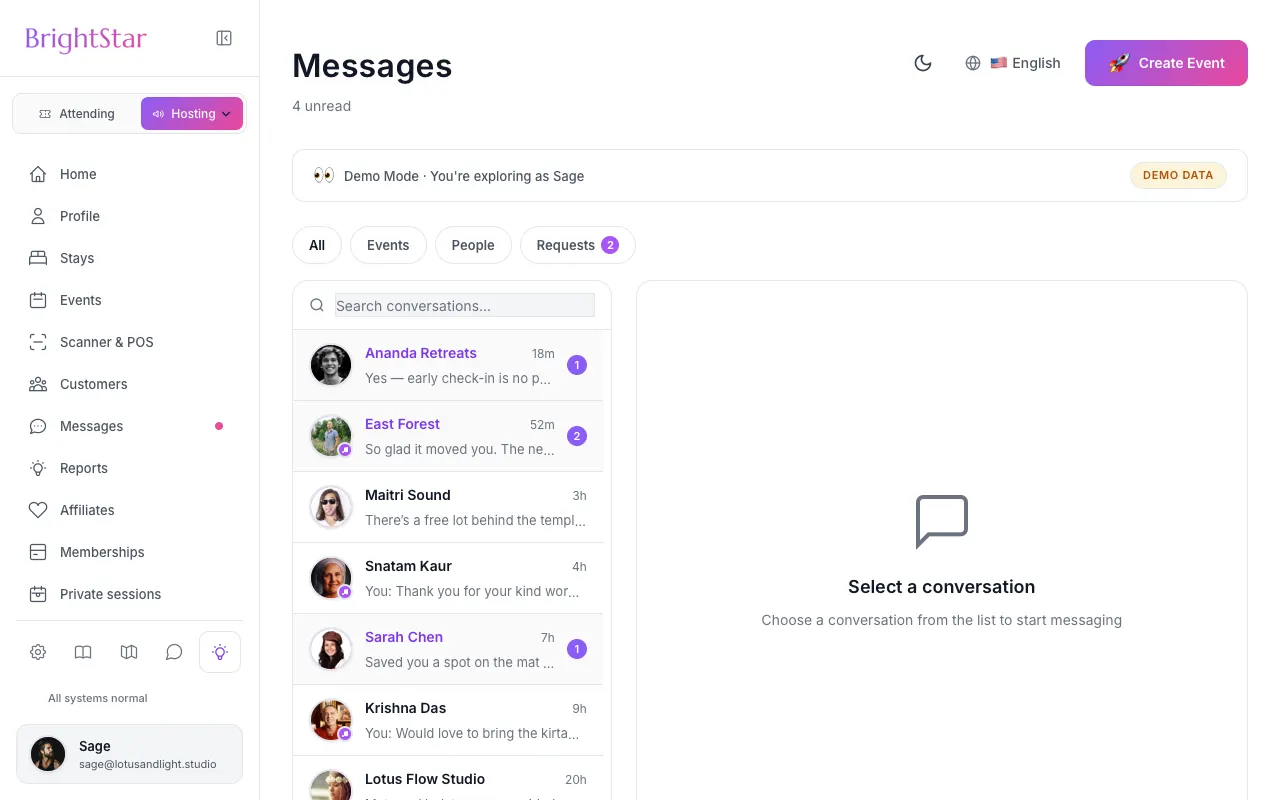
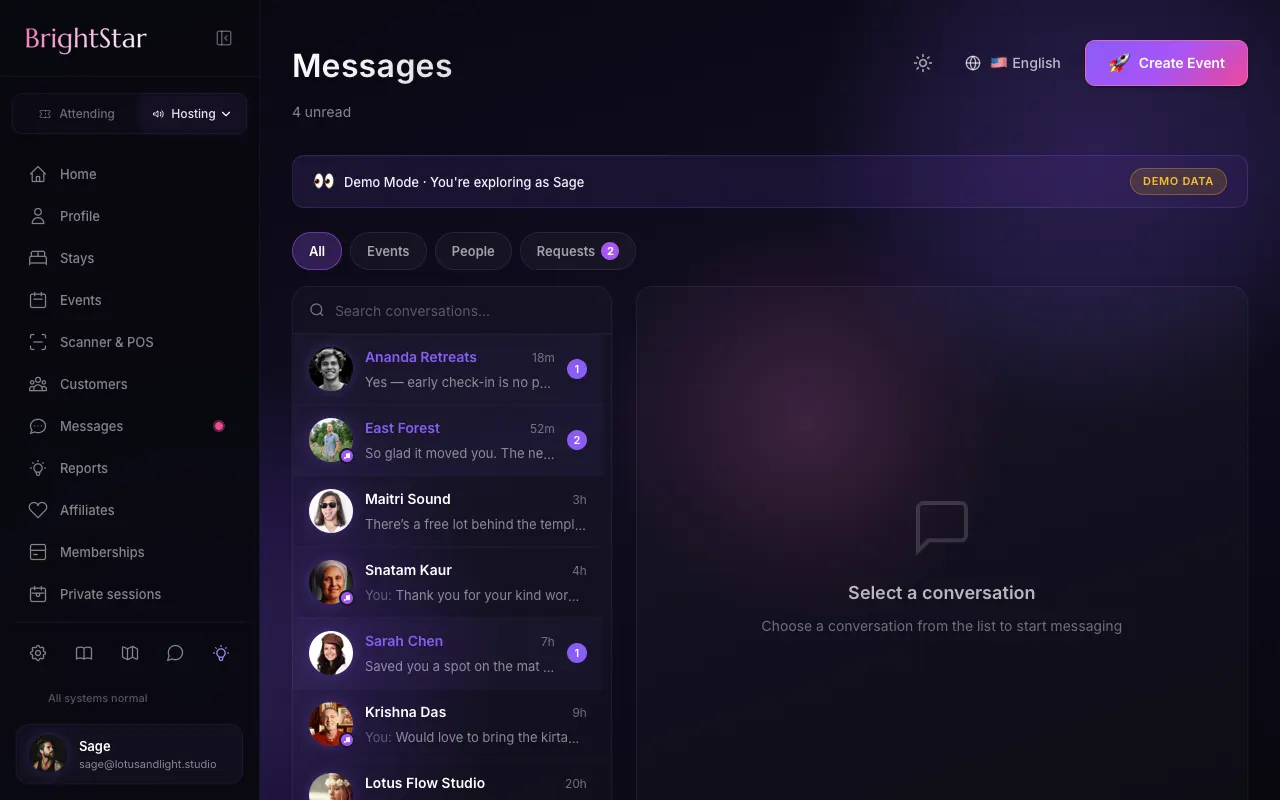
Buyer questions and refund requests arrive in one calm inbox. An AI trained on your voice drafts every reply and answers the common ones for you.
Sign upIncluded on every plan, Free included.
Your inbox, on autopilot.
Buyer questions and refund requests arrive in one calm inbox. An AI trained on your voice drafts every reply and answers the common ones for you.
Sign upIncluded on every plan, Free included.
One inbox for every buyer
Autopilot in your voice
Trained on your tone and your event details, it drafts every reply for one-tap send and answers the usual questions (parking, access, what to bring).
Questions and refunds together
Messages and refund requests share one thread list, each tied to the buyer’s order, so nothing hides in a personal inbox.
Resolve refunds in the thread
Approve or decline a refund request right there, with the order and your policy beside you. Every resolution is tracked.Approve or decline a refund request right there, with the order and your policy beside you.
How it works
Teach it your voice, once
Add your tone and a few event details. The more you add, the more the drafts sound like you.Add your tone and a few event details.
It handles the routine
Common questions get answered; everything else arrives with a ready-to-send draft.
You handle what matters
Personal notes and refund calls stay yours, with the buyer’s full context beside you.
Loved by artists and organizers
“Not only does BrightStar offer a powerful software platform that has worked very well for my events, but their client support is the best. Their communication is personal, heart-centered, and always thoughtful.”

Peter KaterTwo-Time Grammy Winner (Client Since 2014)
“We've been so happy with the outstanding customer service that we've received while working with BrightStar, and feel great about supporting a company that is authentically committed to the ideals of higher consciousness.”

Eric ForbisFounder, BuddhaFest (Client Since 2012)
“For nearly two decades, Akal (owner of BrightStar) has been lending his skills and talents in support of the Bhakti movement. His platform uniquely serves our movement with authenticity and heart. The technology also rocks!”

Jai UttalGrammy Nominee (Client Since 2014)
Questions organizers ask
Do buyers need an account to reply?
No. Buyers reply straight from their email; the reply threads back into your inbox.
Which plans include Autopilot?
The Message Center is included on every plan. Automatic replies come with Pro and Amplify. Turn them on for your account in Settings under Message Center.
Does Autopilot send without me?
Only for the common questions you let it answer. Everything else waits as a draft for you to send, edit or skip.
Where do refund requests go?
Into the same inbox, as their own thread tied to the order, so you can resolve them where the conversation is.
Read more
One inbox for the questions around your events
Questions arrive from everywhere when you host: a reply to a confirmation email, a message on social media, a note to your personal address at midnight. Some are answered twice and some not at all. The Message Center gathers the conversations that belong to your events into one inbox in your dashboard. Each conversation is tied to the event it is about and, when the person has booked, to their order, so you see who is writing and what they bought before you answer.
How a message reaches you
A visitor can ask a question from your event page before they buy. A buyer can write from their order page, or simply press Reply on an email they received from the event. In each case the message opens or continues a thread in your inbox, and you are notified by email at the address you set under Settings, Notifications. You answer from the dashboard; the person receives your answer by email.
Privacy on both sides
A person who writes before buying is shown to you by name, and their email address stays hidden. In the other direction, your own email address is never shown to the people you answer: replies travel through BrightStar. This lets you be reachable without publishing a personal address on every event page, and lets a curious visitor ask a question without joining a mailing list by accident.
Buyers reply without an account
When you answer, the buyer’s notification carries a secure link that opens the conversation directly. There is no password to remember and no account to create just to read a reply. The link is signed and valid for seven days. This matters most for the many guests who booked quickly as a guest and would not know how to sign in.
Finding the thread you need
The inbox can be filtered by open or resolved, by kind of conversation, message or refund request, and by event, and it can be searched. An unread count shows what is waiting. When a matter is settled you mark the thread resolved, so the open list is always the list of people still waiting for you.
An assistant that drafts, if you want one
You choose how much help you want with replies, in three modes. Off: you write every answer yourself. Review: a reply is drafted for each incoming message and held for you to edit, send or discard. Auto: common questions are answered automatically, with a note that the reply was written by an assistant, and everything else waits for you. Drafts draw on the voice notes you provide, your FAQs, documents you add and replies you have saved, so the more you give it, the closer the drafts come to how you would say it.
Refund requests stay with a person
When a buyer asks for a refund outside your policy, the request arrives in the same inbox as its own thread, with the order and the buyer’s reason. The assistant never decides a refund. At most it acknowledges that the request has been received. You approve or decline it yourself, with the order beside you, and the outcome is recorded on the thread.
Writing to everyone at once
The inbox is for conversations with one person. When you need to tell all your guests something, such as a change of room or a note about parking, use Message Attendees on the event: a subject and a plain-text message, sent at once to everyone holding a ticket. Each guest’s copy also appears in their own thread with you, and when someone replies, the reply opens a private conversation in your inbox.
Working with a team
Conversations are tied to events, so the people who help you run an event can help answer for it when their role includes customer data. A co-host can take the logistics questions while you keep the personal ones. Because everything is in one thread per person, the next teammate to open it sees what has already been said.
Included on every plan
The Message Center is part of every plan, including Free. You can read and answer messages by hand on every plan. Automatic replies come with Pro and Amplify.
Teaching the assistant well
If you use the drafting assistant, spend ten minutes on what it reads. Write a few lines about how you speak to your community: warm or brisk, first names or formal. Add the questions you are asked every time, with the answers you actually give: where to park, whether beginners are welcome, what to bring, whether there is a chair. Save a reply whenever you write one you are pleased with. Start in review mode, where nothing is sent without you, and move to automatic answers only for the questions where a wrong answer would do no harm.
What good service looks like here
Most questions before a gathering are small, and the person asking is often deciding whether to come. A clear answer within a day is frequently the difference between a booking and a quiet goodbye. An inbox where nothing is lost, and where the order is beside the message, makes that kind of care possible for a host who is also the teacher, the cook and the driver.
Maestro
Maestro works in your dashboard: ask in your own words, check the change on one card, tap to apply.
See the feature →Ticket Scanner
One app for the door: download BrightStar Organizer, sign in with your team login, pick the event and scan.
See the feature →Team access
Invite the people who run your events with you, give each one a role, and keep money and buyer details to those who need them.
See the feature →Email Sequences
Confirmations go out the moment someone buys, and timed reminders keep your event in mind until the day.
See the feature →AI FAQ Assistant
Your event page carries its own questions and answers, and an assistant on the page answers the rest from your event’s details.
See the feature →Analytics & Reporting
Sales, revenue and returning guests as they happen, with insights in plain words about what to do next.
See the feature →See allThere is more to see.